How to Build and Deploy a Custom AI Assistant for Your Business with atBridges
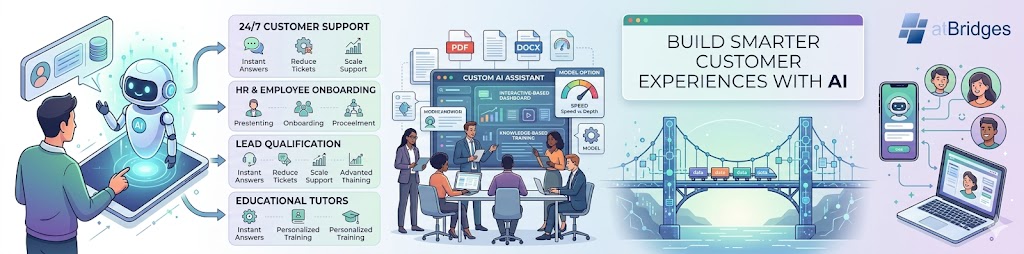
Build Smarter Customer Experiences with AI
Businesses today face growing demands for instant customer support, personalized interactions, and round-the-clock availability. Whether you're managing customer inquiries, employee onboarding, lead qualification, or educational support, AI assistants can help automate conversations while improving user satisfaction.
With AtBridges, you can create, train, and deploy a custom AI assistant without building machine learning models from scratch. Using your own documents, instructions, and preferred AI models, you can launch an intelligent chatbot tailored to your business needs in just a few steps.
Why Businesses Are Adopting AI Assistants
Organizations across industries use AI-powered chat assistants to:
- Provide 24/7 customer support
- Reduce repetitive support tickets
- Improve response times
- Automate employee and HR queries
- Enhance lead generation and qualification
- Deliver personalized educational experiences
- Scale support operations without increasing staffing costs
Instead of relying on generic chatbots, businesses increasingly prefer custom AI assistants trained on their own knowledge and processes.
What Makes AtBridges Different?
AtBridges allows organizations to create AI assistants that understand their unique business context.
Key capabilities include:
Custom Assistant Creation
Create assistants tailored to specific use cases such as:
- Customer Support
- Marketing Assistance
- HR & Employee Support
- Education & Training
- Internal Knowledge Management
Flexible AI Model Selection
Choose the AI model that best matches your business requirements:
LLaMA 3.1 8B Instant
- • Fast response times
- • Suitable for high-volume conversations
- • Ideal for FAQ and support scenarios
LLaMA 3.3 70B Versatile
- • Advanced reasoning capabilities
- • Better for complex business workflows
- • Effective for large knowledge bases and detailed responses
Knowledge-Based Training
Upload business documents such as:
- • PDFs
- • DOCX files
- • Text documents
- • Internal knowledge resources
Your assistant can reference these materials to provide accurate, context-aware responses.
Custom Instructions & Brand Voice
Define how your assistant should communicate:
- • Professional
- • Friendly
- • Educational
- • Technical
- • Sales-oriented
This ensures responses align with your brand and business goals.
How to Create a Custom AI Assistant in atBridges
Step 1: Access Your AI Assistant Dashboard
Navigate to the AI Assistants section and review your available assistant capacity based on your subscription plan.
Step 2: Create a New Assistant
Configure:
- • Assistant Name
- • Description
- • Category
- • AI Model
- • Custom Instructions
These settings establish the assistant's identity and behavior.
Step 3: Upload Training Documents
Provide the knowledge sources your assistant should use.
Best practices:
- • Use clean, structured documents
- • Remove outdated information
- • Organize content logically
- • Focus on high-quality knowledge sources
Well-structured content improves answer accuracy and user experience.
Step 4: Optimize Temperature Settings
Temperature controls response creativity.
Recommended settings:
| Use Case | Temperature |
|---|---|
| Customer Support | 0.0 – 0.3 |
| Documentation Assistant | 0.0 – 0.3 |
| Business Knowledge Bot | 0.2 – 0.5 |
| Marketing Content Assistant | 0.5 – 0.8 |
| Creative Writing Assistant | 0.7 – 1.0 |
Lower values improve consistency and reduce hallucinations.
Best Practices for Successful AI Assistant Deployment
To maximize performance:
Define Clear Boundaries
Specify:
- • What the assistant should answer
- • What it should avoid
- • Escalation scenarios
Train with Quality Data
Accurate knowledge leads to accurate responses.
Match the Model to the Use Case
Choose speed-focused models for support and reasoning-focused models for advanced workflows.
Test Before Deployment
Review:
- • Accuracy
- • Tone
- • Response quality
- • Knowledge retrieval
Regular testing helps maintain reliability.
Common Business Use Cases
AtBridges assistants can be deployed for:
Customer Support Automation
Provide instant answers to customer questions while reducing support workload.
HR & Employee Assistance
Help employees access company policies, onboarding information, and internal resources.
Sales Enablement
Assist prospects with product information and qualification workflows.
Educational Support
Create interactive tutors trained on course materials and learning resources.
Final Thoughts
Custom AI assistants are becoming an essential tool for organizations seeking scalable customer engagement and operational efficiency. With AtBridges, businesses can quickly create, train, and deploy AI assistants tailored to their unique requirements without complex AI development.
Whether you're building a customer support chatbot, internal knowledge assistant, HR helper, or educational tutor, AtBridges provides the tools needed to launch AI-powered experiences that deliver real business value.