Why Tool Output Descriptions, Exception Handling, and Performance Optimization Matter in AI Agents
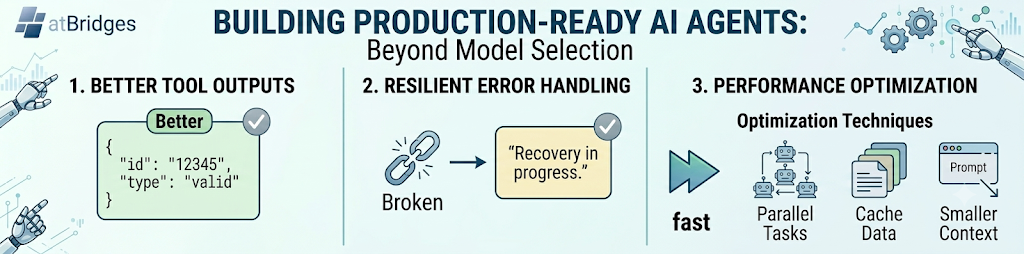
As AI agents become more capable, many teams focus heavily on model selection and prompt engineering. However, three often-overlooked areas have a significant impact on reliability and user experience:
- Tool Output Descriptions
- Exception Handling
- Performance Optimization
Let's explore why these areas are critical when building production-ready AI agents.
1. Tool Output Descriptions: Helping the Agent Understand Results
A tool may return correct data, but if the output structure is unclear, the AI can misinterpret the response.
Poor Output Example
{
"status": 1,
"data": "12345"
}
The agent may not know whether 12345 represents a user ID, order ID, or appointment ID.
Better Output Example
{
"success": true,
"appointmentId": "12345",
"message": "Appointment created successfully"
}
Benefits:
- Reduces hallucinations
- Improves tool selection accuracy
- Makes workflow orchestration easier
- Simplifies debugging
A good tool description should clearly explain:
- Input parameters
- Expected output fields
- Success and failure responses
- Field meanings and data types
2. Exception Handling: Preparing for Failure
In real-world systems, failures are normal.
Common issues include:
- API timeouts
- Invalid inputs
- Authentication failures
- Rate limits
- Missing data
- Network interruptions
Bad Experience
Error: Request Failed
Better Experience
Unable to create appointment because the selected time slot is no longer available.
Please choose another time.
Best practices:
- Return meaningful error messages
- Categorize errors (validation, authentication, system)
- Provide recovery suggestions
- Log detailed information for debugging
- Avoid exposing internal system details to users
Proper exception handling prevents workflows from breaking and helps agents recover gracefully.
3. Performance Optimization: Faster Agents, Better Experience
Users expect near-instant responses.
Even a highly accurate agent can feel unreliable if responses are slow.
Common Performance Bottlenecks
- Too many tool calls
- Large prompt sizes
- Unnecessary context injection
- Sequential execution of independent tasks
- Repeated API requests
Optimization Techniques
Use Smaller Models When Possible
Not every task requires a large reasoning model.
Examples:
- Classification
- Data extraction
- Summarization
- Intent detection
can often run on smaller, faster models.
Parallelize Independent Tasks
Instead of:
Get user
→ Get appointments
→ Get insurance
Run independent calls simultaneously when possible.
Reduce Context Size
Only send relevant information to the model.
Smaller prompts lead to:
- Lower cost
- Faster responses
- Better focus
Cache Frequently Used Data
Examples:
- User profiles
- Business information
- Static documentation
This reduces repeated tool calls and latency.
Bringing It All Together
A production-ready AI agent is not built on model quality alone.
Success depends on:
- Clear tool output descriptions so the model understands results correctly.
- Strong exception handling so failures are managed gracefully.
- Performance optimization to deliver fast and scalable experiences.
Teams that invest in these three areas often achieve greater reliability than teams focused solely on choosing a larger model.
When building AI agents, think beyond prompts—the quality of your tools, error handling, and system performance often determines the real user experience.