What Should Legal Case Management Software Automate?
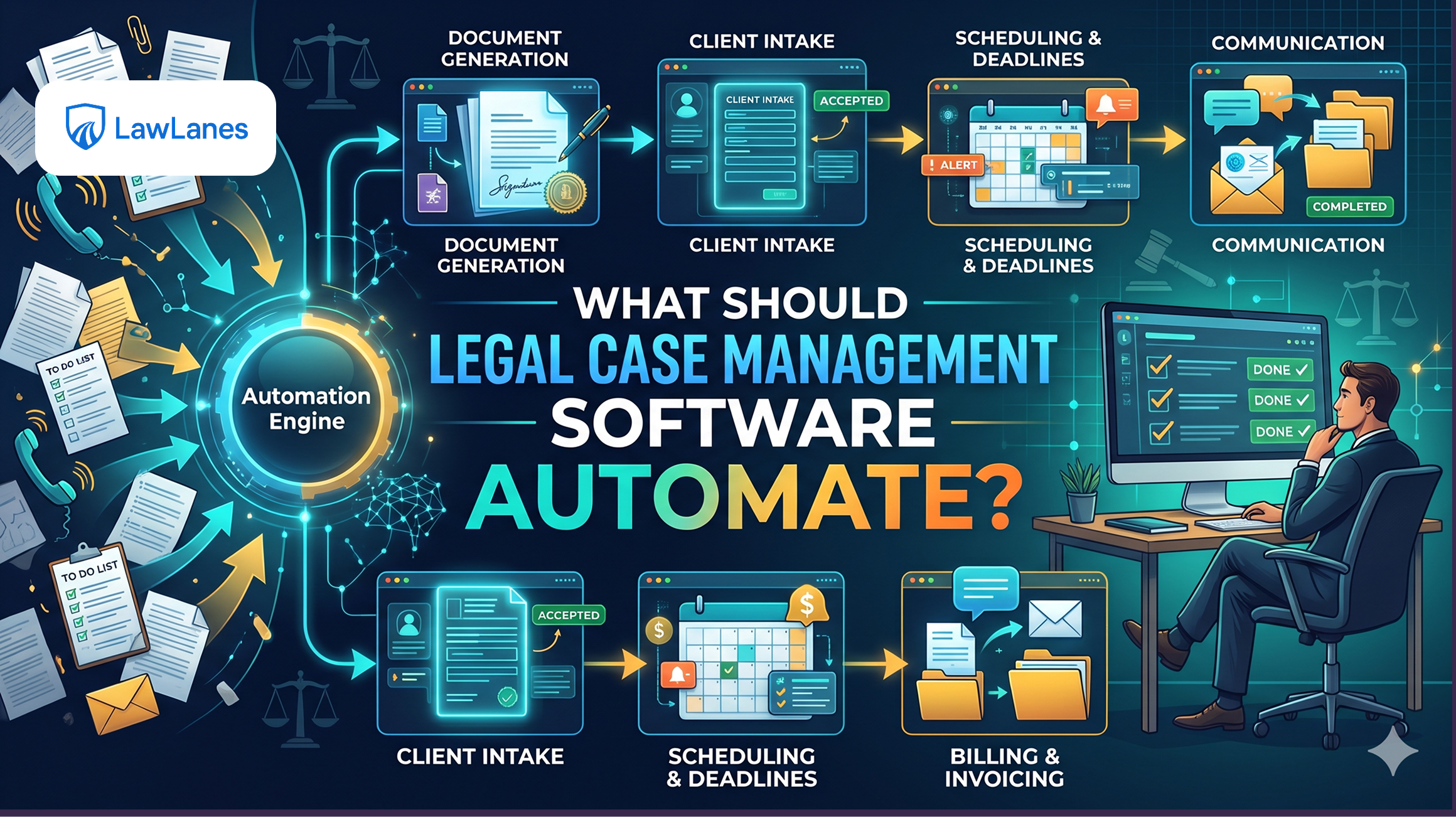
Managing a law firm involves more than handling legal matters. Lawyers and their teams also spend time organizing client records, tracking hearings, managing documents, assigning tasks, following up with clients, and preparing invoices.
When these activities are handled manually across different tools, information can become scattered and repetitive work can consume valuable time.
This is where legal case management software becomes useful. It helps organize legal operations and automate routine activities so that lawyers can focus more on their clients and legal responsibilities.
But what should a law firm actually automate?
The objective is not to automate every legal activity. It is to identify repetitive processes, reduce unnecessary administrative work, and maintain human oversight where professional judgment is required.
1. Client and Case Information Management
Every legal matter starts with information. Client details, case references, important dates, documents, and matter updates need to be recorded accurately.
A structured Legal Case Management system can help firms organize this information in one place.
Useful automation opportunities include:
-
Organizing client and case records.
-
Connecting documents with relevant matters.
-
Maintaining case status and activity history.
-
Assigning matters to responsible lawyers.
-
Reducing duplicate data entry.
This is an important part of effective Case Management because lawyers need access to accurate information when reviewing or working on a matter.
Explore the legal case and client management features to see how these workflows can be organized.
2. Hearing and Deadline Reminders
Lawyers manage multiple hearings, appointments, filing deadlines, and follow-up activities.
A legal case management system should help teams record important dates, create reminders, assign responsibilities, and monitor upcoming activities.
However, automated reminders should not replace verification. Hearing dates and deadlines must be checked against official court information and relevant instructions.
For firms managing several connected workflows, LawLanes platform modules bring together areas such as case files, court calendars, cause lists, and legal time tracking.
3. Legal Document Management
Legal professionals handle contracts, petitions, notices, evidence, correspondence, and other important documents.
A good Legal document management workflow should make it easier to organize, retrieve, review, and share files.
Automation opportunities include:
-
Organizing documents by client or matter.
-
Supporting document search and retrieval.
-
Maintaining document versions.
-
Associating files with relevant cases.
-
Managing authorized document sharing.
Firms evaluating legal practice management software should check whether document-related capabilities fit their existing storage and working processes.
Document workflows should also include appropriate access controls and safeguards for confidential information. Review LawLanes security and data protection when evaluating how legal software handles sensitive records.
4. Task Assignment and Follow-ups
Legal work involves several people performing different responsibilities. Without clear task ownership, follow-ups can be delayed or overlooked.
Automation can help firms create tasks, assign team members, set due dates, send reminders, and monitor completion.
These capabilities also support better Law firm management by giving lawyers and managers visibility into pending work and team responsibilities.
For routine administrative activities such as document collection, cause list matching, and filing checklists, AI paralegal workflow automation can help structure and coordinate support work.
5. Client Communication and Portal Access
Clients often contact lawyers to ask about case progress, documents, and upcoming steps.
A structured communication workflow can help firms organize client interactions and share relevant information.
A suitable system may support client records, communication history, document sharing, and client portal access where enabled.
Access should remain controlled so that clients can only view information authorized by their lawyer or firm.
6. Legal Billing and Time Tracking
Administrative work also includes recording time, managing expenses, preparing invoices, and tracking outstanding payments.
Automating parts of Legal billing can help reduce repetitive financial administration.
Useful capabilities include:
-
Recording time spent on matters.
-
Organizing case-related expenses.
-
Preparing invoices.
-
Tracking outstanding billing records.
-
Reviewing payment activity.
Financial records and invoices should still be checked before finalization.
7. AI-Assisted Legal Work
An AI legal assistant can support lawyers with document analysis, summarization, translation, and initial drafting.
These capabilities can reduce time spent on certain information-processing tasks, but AI-generated content must be reviewed before it is used in legal work.
Firms should also consider confidentiality, data handling, accuracy, and professional responsibility when introducing AI tools.
Explore the LawLanes AI Legal Assistant to learn how AI-assisted drafting, document analysis, summarization, and translation can fit into legal workflows.
8. What Should Law Firms Automate First?
Not every activity needs automation immediately. Firms should prioritize processes based on repetition, administrative effort, and the importance of human review.
Automate first:
-
Routine task reminders.
-
Client and case information organization.
-
Document filing and retrieval.
-
Follow-up tracking.
-
Hearing notifications with verified dates.
Automate with human review:
-
Document summaries.
-
Initial document drafts.
-
Time and expense entries.
-
Invoice preparation.
-
Client update workflows.
-
Information extraction from legal documents.
Keep lawyer-led:
-
Legal strategy and advice.
-
Final approval of legal documents.
-
Important client decisions.
-
Court submissions and filing approval.
-
Interpretation of complex legal issues.
This approach helps firms benefit from automation without compromising professional judgment.
9. How to Choose the Right Legal Practice Management Software
Choosing software requires more than comparing feature lists. The system should support how the firm actually works.
When evaluating online legal practice management software, consider whether it provides the necessary case, client, document, task, and billing workflows.
Firms looking for cloud legal practice management software should also examine accessibility, permissions, integrations, and how their information is handled.
Similarly, web based legal practice management software should be evaluated for ease of use, supported devices, and compatibility with the firm's existing tools.
A SaaS legal practice management software subscription should be assessed based on its pricing, available features, user limits, support, and ongoing costs.
There is no universal best legal practice management software for every firm. A solo lawyer may need a simpler system, while a growing firm may require team coordination, client access, and more extensive operational workflows.
When comparing the best cloud based legal practice management software, consider:
-
Case and client management capabilities.
-
Document organization and access controls.
-
Hearing and deadline tracking.
-
Task assignment and reminders.
-
Time tracking and legal billing.
-
AI-assisted features.
-
Integration with existing storage services.
-
Pricing and scalability.
The right choice should simplify daily work rather than introduce another disconnected application.
10. How LawLanes Supports Legal Practice Automation
LawLanes is an AI-powered legal practice management platform designed for solo lawyers and law firms.
It brings together important legal workflows, including:
-
Client and case management.
-
Legal document workflows.
-
Hearings, calendars, and tasks.
-
Time, expenses, and invoices.
-
Client portal access when granted by the lawyer or firm.
-
AI-assisted document analysis, drafting, and translation.
-
Google Drive and OneDrive integration for document storage workflows.
The platform also provides connected modules for different legal practice activities, AI-assisted tools, and paralegal workflows.
By connecting these activities, LawLanes helps legal professionals organize their operations and manage important information through one platform.
Firms exploring legal practice management solutions can explore LawLanes features and modules to evaluate the platform based on their workflow requirements, team structure, and preferred way of managing legal work.
Conclusion
Legal case management software should automate repetitive administrative activities that consume time and make law firm operations difficult to manage.
Client records, case information, hearing reminders, document organization, task assignments, client communication, and billing are practical areas to prioritize.
AI can provide additional support, but legal judgment, verification, and professional responsibility must remain with lawyers.
The best approach is to select suitable legal practice management software, automate routine workflows, and maintain human oversight wherever it matters.
Better legal automation is not about automating everything. It is about helping lawyers manage their practice more efficiently and focus on the legal work that matters.