LangSmith Fleet: What It Is, When to Use It, and How It Helps Build AI Agents
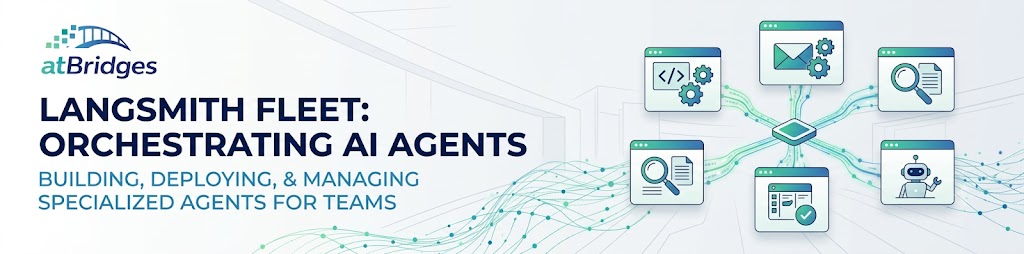
AI agents are rapidly moving beyond simple chatbots. Today, an AI agent can research information, work with company tools, manage emails, analyze data, create software changes, update tickets, and perform many other tasks. But as companies start using more and more agents, a new challenge appears: How do we create, deploy, share, secure, and manage all these agents? This is where LangSmith Fleet becomes interesting. LangSmith Fleet is designed around the idea of managing a collection of AI agents that can perform specialized work for individuals and teams.
What is LangSmith Fleet?
LangSmith Fleet is part of the LangChain ecosystem for creating and managing AI agents.Instead of thinking about an AI agent as only a Python program that receives a prompt and returns a response, Fleet treats an agent as something that can have:
- Instructions
- Tools
- Skills
- Memory
- Credentials
- Permissions
- Subagents
- Scheduled tasks
- Event-based triggers
- Human approval
- Integrations with external applications
The main idea is simple:
Build agents that can actually perform work, not just generate responses.
For example, instead of asking an AI every morning:
"What happened in our GitHub repository yesterday?"
you could have a specialized engineering agent that checks GitHub, analyzes the changes, summarizes important updates, and shares the result with the team.
Why Do We Need Fleet?
Building a single AI agent is relatively straightforward.
The problem becomes more complicated when an organization has many agents.
Imagine a company has:
- Customer Support Agent
- Sales Research Agent
- Software Engineering Agent
- Marketing Agent
- Executive Assistant Agent
- Competitive Research Agent
Now several questions appear:
Who can access each agent?
Which tools can each agent use?
What credentials should the agent have?
What actions require human approval?
How can agents be shared with the team?
How can their behavior be monitored?
How can the same agent be used through Slack or other applications?
Managing these concerns individually for every agent can become complicated.
Fleet is designed to provide a centralized way to work with these agents.
Fleet Is Not Just Another Chatbot
One of the most important things to understand is that Fleet is not simply an interface for chatting with an LLM.
A basic chatbot might work like this:
User asks a question → LLM generates an answer.
An agent is different.
An agent can decide that it needs to:
- Search a database
- Call an API
- Read an email
- Check GitHub
- Search documentation
- Create a ticket
- Ask another agent for help
- Request human approval
Fleet focuses on making these types of agents useful in real organizational workflows.
When Should You Use Fleet?
Fleet is most useful when an AI task becomes a repeated responsibility.
For example, suppose you manually perform the following task every Monday:
- Check GitHub activity.
- Check Linear issues.
- Find blocked tasks.
- Identify important changes.
- Prepare a summary.
- Send it to the engineering team.
If you do this once, a normal AI assistant may be enough.
If you do it every week, it makes sense to create a specialized agent for the responsibility.
The agent can be given the required tools, instructions, memory, and permissions. This is one of the key ideas behind Fleet.
General-Purpose AI vs Specialized Agents
There is an important difference between asking a general AI assistant to perform a task and creating a specialized agent.
A general-purpose assistant is useful when you want to explore different tasks.
For example:
"Analyze this document."
"Explain this error."
"Help me write an email."
These are usually one-off tasks.
A specialized agent is better when you have a recurring responsibility.
For example:
"Monitor customer support emails and prepare responses."
"Review new GitHub issues and classify them."
"Research new prospects and prepare account summaries."
"Monitor competitors and report important changes."
The specialized agent can be configured specifically for that job.
Tools
Tools are one of the most important parts of an AI agent.
An LLM by itself cannot directly perform most real-world actions.
Tools give an agent the ability to interact with external systems.
For example, an engineering agent might need access to:
- GitHub
- Linear
- Slack
- Documentation
- Databases
- Development environments
A customer-support agent might need:
- Gmail
- CRM
- Knowledge base
- Order management API
- Ticketing system
Fleet allows agents to work with tools and integrations required for their responsibilities.
It can also work with remote MCP servers, which makes it possible to expose external capabilities to agents through the Model Context Protocol.
Skills
Another important concept is skills.
A skill can represent reusable knowledge or a procedure that an agent should follow.
For example, a company could create skills such as:
- Customer Refund Policy
- Code Review Guidelines
- SEO Audit Process
- Sales Qualification Process
- Incident Response Procedure
Instead of putting all this information directly into every agent's system prompt, skills can be reused where appropriate. This becomes especially useful when an organization has many agents.
If the company's refund policy changes, updating the relevant skill can be much easier than manually updating multiple unrelated agents.
Memory
AI agents often need more than the current conversation.
Consider a project-management agent.
Over time, it may need to remember things such as:
- Team responsibilities
- Project preferences
- Recurring workflows
- Important decisions
- Previous tasks
- Relevant context
Persistent memory allows an agent to maintain useful information between interactions.
This is particularly valuable for specialized agents because they are intended to perform an ongoing responsibility rather than a single task.
Subagents
Complex tasks can sometimes be divided between multiple specialized agents.
For example, a primary agent could delegate different tasks to other agents.
A research task might involve one agent gathering information, another analyzing the information, and another preparing the final report.
This approach can be useful when different parts of the task require different tools or expertise.
Instead of creating one extremely complicated agent that does everything, responsibilities can be divided into smaller specialized agents.
Human-in-the-Loop
Giving an AI agent the ability to take actions creates an important question:
Should the agent be allowed to perform every action automatically?
The answer is usually no.
Some operations are sensitive.
For example:
- Sending an important email
- Issuing a refund
- Deleting data
- Changing production systems
- Creating a customer-facing response
- Making a financial action
In these situations, a human approval step can be useful.
The agent can prepare the action, explain what it intends to do, and wait for a human to approve it. This provides a balance between automation and human control.
Credentials and Permissions
Security becomes increasingly important as agents gain access to company systems.
An agent should not automatically have access to everything.
For example, a marketing agent may need access to analytics and social-media tools but should not have access to production databases. Similarly, a software engineering agent may need GitHub access but shouldn't automatically have permission to perform sensitive production operations.
Fleet provides capabilities around agent identity, credentials, and permissions so organizations can control what agents can access and what actions they can perform.
This is an important difference between a simple personal chatbot and an organizational AI agent.
Fleet and Slack
One particularly useful capability is bringing agents into the tools where teams already work.
Slack is a good example.
Instead of opening a separate AI application, developers can interact with an agent directly from their team's communication environment.
For example, a developer could ask an engineering agent to investigate a GitHub issue.
The agent could inspect the repository, look at related tickets, analyze the issue, and provide its findings.
If configured appropriately, the agent could also perform additional actions, such as creating a pull request, subject to the required permissions and approvals.
This makes the agent feel more like a member of the workflow rather than a separate chatbot.
Scheduled and Event-Driven Agents
Another important concept is that agents don't always need to wait for a user.
Some work is naturally triggered by time or events.
For example:
Every morning
A sales agent can research new leads and prepare a summary.
When a new support email arrives
A support agent can classify the request and prepare a response.
When a GitHub issue is created
An engineering agent can analyze it and suggest the appropriate team or priority.
This allows agents to become part of an organization's automated workflows.
Fleet for Software Engineering
Software engineering is one of the areas where specialized agents can be particularly useful.
An engineering agent could work with:
- GitHub
- Issue trackers
- Documentation
- Code repositories
- Development environments
- Testing tools
A typical responsibility could be:
Review new issues, understand the repository, investigate the problem, make the required changes, run tests, and prepare a pull request.
This is significantly different from simply asking an LLM:
"Write Python code for this feature."
The agent is responsible for completing a larger piece of work.
Fleet for Customer Support
Customer support is another strong use case.
A support agent could:
- Read incoming customer requests.
- Understand the problem.
- Search the company's knowledge base.
- Check customer information.
- Prepare a response.
- Request human approval when required.
- Send the response.
This can reduce repetitive work for support teams while keeping humans involved in sensitive cases.
Fleet for Sales
A sales research agent could help with tasks such as:
- Researching companies
- Understanding prospects
- Collecting relevant information
- Preparing account briefs
- Identifying potential opportunities
- Drafting outreach
- Updating CRM information
Instead of repeatedly asking an AI to perform these tasks manually, the organization can create a specialized agent with the tools and instructions required for the job.
Fleet for Marketing
Marketing teams can also use specialized agents for recurring activities.
For example:
- Competitor research
- Content research
- SEO analysis
- Content drafting
- Market monitoring
- Social-media preparation
A marketing agent can be given company-specific skills and knowledge so that its work follows the organization's processes.
Fleet vs LangChain
LangChain is primarily a framework for building applications around LLMs.
Developers can use it to build:
- Retrieval systems
- Tool-calling applications
- AI workflows
- Agents
- RAG applications
Fleet operates at a higher level around the management and use of agents.
A simplified way to think about it is:
LangChain: Build AI applications.
LangGraph: Build and control complex agent workflows.
LangSmith: Trace, evaluate, debug, and monitor AI applications.
Fleet: Create, deploy, share, and manage agents that perform ongoing work.
These technologies can be complementary rather than mutually exclusive.
Fleet vs LangGraph
LangGraph is particularly useful when you want detailed control over how an agent works.
For example, you may need to define:
- State
- Nodes
- Transitions
- Tool execution
- Retry behavior
- Human approval
- Custom business logic
In that situation, LangGraph gives developers significant control.
Fleet is more focused on the broader lifecycle of agents and making specialized agents useful to individuals and organizations.
Therefore, a developer might use LangGraph when they need to engineer a highly customized workflow, while Fleet can be useful when the resulting agent needs to be deployed, shared, and managed as an organizational capability.
When Fleet May Not Be Necessary
Fleet is not the answer to every AI problem.
If you're building a simple chatbot, you probably don't need a specialized agent.
If you're building a straightforward RAG application where the workflow is deterministic, a normal retrieval pipeline may be better.
For example:
User asks a question → Retrieve documents → Generate answer.
There is no need to introduce an autonomous agent if the task doesn't require autonomous decision-making or tool usage.
Similarly, if you need complete control over every part of the execution environment, building directly with LangGraph or your own backend may be a better option.
A useful rule is:
Don't use an agent when a simple deterministic workflow can solve the problem.
How to Decide Whether to Use Fleet
Before creating an agent, ask yourself a few questions.
Is the task repeated?
If it happens only once, a general AI assistant may be enough.
If it happens repeatedly, a specialized agent may be valuable.
Does the task require tools?
If the agent needs GitHub, Gmail, Slack, databases, APIs, or other systems, an agent architecture becomes more useful.
Does the agent need to take actions?
If the agent only generates text, a normal LLM application may be sufficient.
If it needs to perform actions, an agent becomes more useful.
Does the team need to share the agent?
If multiple people need the same AI capability, centralized agent management becomes important.
Does the agent require permissions or approvals?
If the agent interacts with sensitive systems, permission and human-approval mechanisms become important.
The Bigger Idea: AI as Digital Workers
The most interesting idea behind Fleet isn't simply "more AI agents."
It is the idea of delegating work to AI agents.
Instead of asking AI:
"Can you help me with this?"
we can increasingly say:
"This is your responsibility. Here are the tools, knowledge, rules, and permissions you need."
That changes how we think about AI applications.
A chatbot primarily provides answers.
An agent can perform work.
A fleet of specialized agents can potentially take responsibility for different areas of an organization's operations.
Final Thoughts
LangSmith Fleet is aimed at a future where organizations use many specialized AI agents rather than relying on a single general-purpose chatbot.Fleet becomes particularly interesting when an AI task:
- Happens repeatedly
- Requires external tools
- Has a defined responsibility
- Needs persistent context
- Requires team sharing
- Needs permissions
- Benefits from automation
- Requires human approval for sensitive actions
For developers, the key distinction is simple:
Use a normal LLM application for simple generation.
Use RAG when the primary requirement is retrieving knowledge.
Use LangGraph when you need deep control over an agent workflow.
Use LangSmith for tracing, evaluation, debugging, and observability.
Consider Fleet when you want specialized agents to become reusable, shareable, and manageable parts of an organization's workflow.
The future of enterprise AI may not be about building one AI that does everything.
It may be about building many specialized agents, each responsible for a specific type of work, while humans remain in control of important decisions.