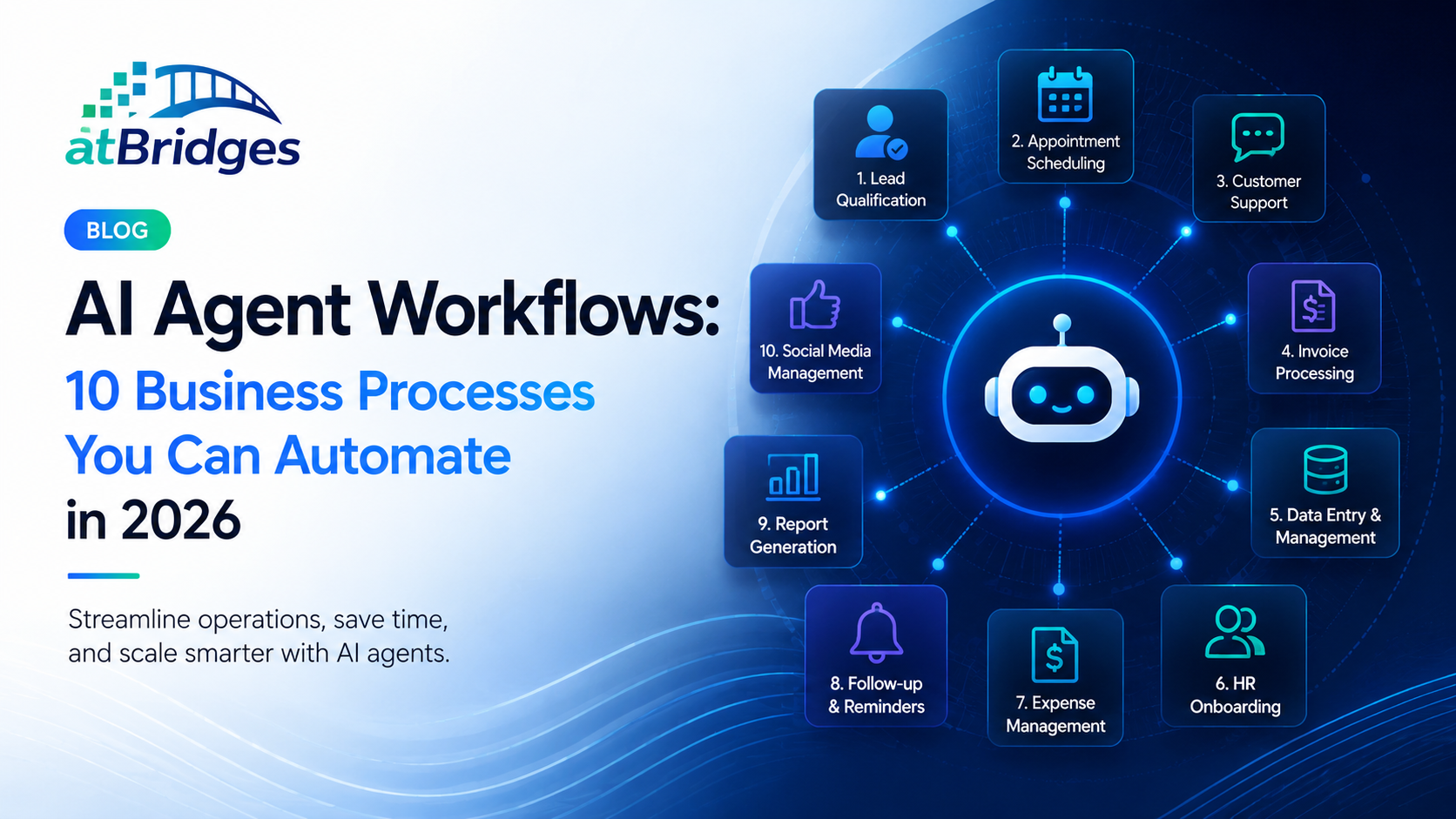
AI Agent Workflows: 10 Business Processes You Can Automate in 2026
Most businesses do not need more software. They need fewer manual steps between the software they already use.
A lead arrives through a website. Someone qualifies it. Another person updates the CRM. A sales representative sends a follow-up. A meeting gets scheduled. Notes are added after the call. Another task is created for the next follow-up.
None of these actions is particularly difficult. The problem is that they repeat thousands of times across a growing organization.
AI Agent Workflows change this model. Instead of automating one action at a time, an AI Agent can understand the objective, determine the next step, interact with connected systems, and continue the workflow until the intended outcome is reached.
Executive Summary
AI Agent Workflows are useful when a business process involves repeated actions, multiple systems, decisions, or customer interactions. They can coordinate tasks that previously required employees to move information from one application to another.
The best starting point is not the most complicated process. It is a workflow with clear inputs, repeatable steps, measurable outcomes, and enough volume to justify automation.
Key Takeaways
- AI Agents can manage multi-step workflows rather than isolated tasks.
- Sales, customer support, marketing, scheduling, and internal operations are strong starting points.
- The most suitable workflows have clear objectives and measurable outcomes.
- Human review should remain part of workflows where decisions require approval or specialist judgment.
- Businesses can start with one workflow and expand AI automation as results become measurable.
What Is an AI Agent Workflow?
An AI Agent Workflow is a business process in which an AI Agent can interpret information, make decisions within defined boundaries, and perform a sequence of actions to achieve a specific objective.
Traditional automation generally follows a predefined sequence. If condition A happens, perform action B. If condition C occurs, move to action D.
An AI Agent Workflow can work with more variable situations. The agent can evaluate the available information, determine which action is appropriate, use connected business tools, and escalate the situation when human input is necessary.
Simple Example
A new prospect submits a request for a product demonstration.
- The AI Agent reads the enquiry.
- Identifies the prospect's requirements.
- Checks whether the lead meets qualification criteria.
- Creates or updates the CRM record.
- Checks calendar availability.
- Schedules the meeting.
- Sends confirmation to the prospect.
- Creates the appropriate follow-up task.
The important difference is that the workflow is organised around an outcome rather than a collection of disconnected tasks.
10 Business Processes You Can Automate with AI Agents
1. Lead Qualification
Lead qualification is one of the most practical starting points for AI Agent automation. Incoming prospects can be evaluated using information from forms, conversations, company profiles, previous interactions, and defined qualification criteria.
The AI Agent can then categorise the opportunity, update the CRM, route qualified prospects to the appropriate representative, and begin the next stage of the follow-up process.
Businesses can combine this approach with the AI Marketing Solutions available through AtBridges to connect lead generation, engagement, and follow-up more effectively.
2. Customer Enquiry Handling
Customer enquiries often involve more than answering a question. A customer may need information, an account update, a service request, or escalation to another team.
An AI Agent can understand the request, retrieve relevant information, perform supported actions, and escalate the case when required. This creates a more complete workflow than a system that only provides an automated response.
For businesses focused on conversational customer experiences, the AI Chatbot Platform can provide the conversational layer through which these interactions begin.
3. Meeting Scheduling
Scheduling appears simple until a business handles hundreds of meetings each month. Finding availability, confirming participants, sending invitations, rescheduling appointments, and creating reminders all create small administrative tasks.
An AI Agent can coordinate these steps after a customer or employee requests a meeting, reducing the amount of back-and-forth required.
4. Sales Follow-Up
A sales opportunity rarely ends after the first conversation. Prospects may need additional information, reminders, demonstrations, proposals, or follow-up conversations before making a decision.
AI Agents can track the state of an opportunity and trigger the next appropriate action based on defined business rules and available context.
This reduces the risk of opportunities being forgotten simply because a representative was busy managing other accounts.
5. Customer Onboarding
Customer onboarding often involves several teams and systems. New customers may need welcome communications, documentation, account configuration, training information, scheduled meetings, and follow-up activities.
An AI Agent can coordinate these steps from a central workflow and keep track of which actions have been completed.
6. Internal Knowledge Requests
Employees regularly ask questions about company policies, products, procedures, documentation, and internal processes. Searching through multiple systems for an answer can consume significant time.
An AI Agent connected to approved business knowledge can locate relevant information and provide an answer based on the organization's available documentation.
7. Document Processing
Many departments receive documents that must be reviewed, classified, summarised, routed, or entered into another system.
AI Agents can help coordinate this process by extracting relevant information, identifying the document type, applying predefined rules, and routing the result to the correct workflow.
8. Appointment and Reminder Workflows
Appointment-based businesses can use AI Agents to manage confirmations, reminders, rescheduling requests, and post-appointment communication.
This is particularly useful when a business handles a high volume of appointments and wants customers to receive consistent communication without adding administrative workload.
9. Marketing Campaign Operations
Marketing workflows frequently involve audience selection, content preparation, campaign scheduling, engagement monitoring, lead routing, and follow-up.
AI Agents can coordinate individual stages of these processes and respond to changes in customer behaviour. Instead of waiting for a marketer to review every interaction, the workflow can determine when a prospect should receive another message or be passed to sales.
10. Administrative Operations
Administrative teams often manage repetitive processes such as request routing, approval coordination, notifications, data updates, and internal task creation.
These workflows are particularly suitable for AI Agents when the process involves multiple systems but follows a clearly defined business objective.
Which Workflow Should You Automate First?
The best workflow is not necessarily the one that uses the most advanced AI. It is the one where automation can solve a visible business problem without introducing unnecessary risk.
| Question | What to Look For |
|---|---|
| Is the workflow repetitive? | The same process happens frequently. |
| Is the outcome clear? | Success can be measured objectively. |
| Does it involve multiple steps? | Several actions or systems must be coordinated. |
| Does it create measurable cost? | Employees spend meaningful time completing it. |
| Can human review be defined? | Exceptions can be escalated when necessary. |
Best Practice
Start with one workflow that has high volume, clear rules, and an obvious business outcome. Measure the result before expanding the same approach to more complex processes.
AI Agent Workflows Need Human Oversight
Automation does not mean removing people from every workflow. Some business decisions require approval, specialist knowledge, or accountability.
A well-designed AI Agent Workflow should define where the agent can act independently and where a human should review the result. This creates a practical balance between automation and control.
For example, an AI Agent may be allowed to qualify a lead and schedule a meeting automatically, while a senior employee reviews pricing exceptions or high-value contractual decisions.
Building an AI Agent Workflow with AtBridges
The effectiveness of an AI Agent depends on more than the underlying model. It needs access to relevant business information, defined objectives, connected systems, workflow rules, and clear escalation paths.
The AI Agents Platform from AtBridges is designed around this broader workflow model, allowing businesses to use intelligent agents for customer engagement and operational processes.
Businesses can also combine AI Agents with AI Workflow Automation to connect actions across their existing processes rather than creating isolated AI experiences.
For organizations operating in specialised environments, AtBridges also provides solutions for healthcare, legal services, and education.
The Next Step in Business Automation
Traditional automation taught businesses how to remove repetitive actions. AI Agent Workflows take the next step by connecting reasoning, decisions, and execution within the same process.
The opportunity is not to automate everything. It is to identify the work that repeatedly slows teams down and give intelligent systems responsibility for the parts they can handle reliably.
For businesses beginning their AI journey in 2026, one well-designed workflow can be more valuable than dozens of disconnected AI tools.
Ready to Automate Your Business Workflows?
Explore the AI Agents Platform from AtBridges and discover how intelligent agents can help automate repetitive business processes across sales, marketing, customer support, and operations.
Contact AtBridges to discuss the workflows your business could automate next.
Frequently Asked Questions
What are AI Agent Workflows?
AI Agent Workflows are business processes where an AI Agent can interpret information, make decisions within defined limits, use connected systems, and complete multiple actions toward a specific business outcome.
What business processes can AI Agents automate?
AI Agents can support lead qualification, customer enquiries, sales follow-up, scheduling, customer onboarding, internal knowledge requests, document processing, reminders, marketing operations, and administrative workflows.
How do I choose a workflow for AI automation?
Start with a repetitive, high-volume workflow that has a clear outcome and measurable performance. Processes involving multiple manual steps and business systems are often good candidates.
Do AI Agent Workflows require human supervision?
Not every step requires human involvement, but businesses should define appropriate approval and escalation points. Sensitive, high-risk, or unusual situations can be routed to employees for review.
Can AI Agents work with existing business systems?
AI Agent Workflows can be designed to work with connected business applications such as CRM systems, communication tools, calendars, knowledge bases, and workflow platforms, depending on the available integrations.